Custom AI Photo Editing Software for Professional Studios: The Smart Alternative to SaaS in 2026
Compare custom vs. SaaS AI photo editing for professional studios. See real time savings, ROI calculations, and how to automate 2,000+ images weekly.
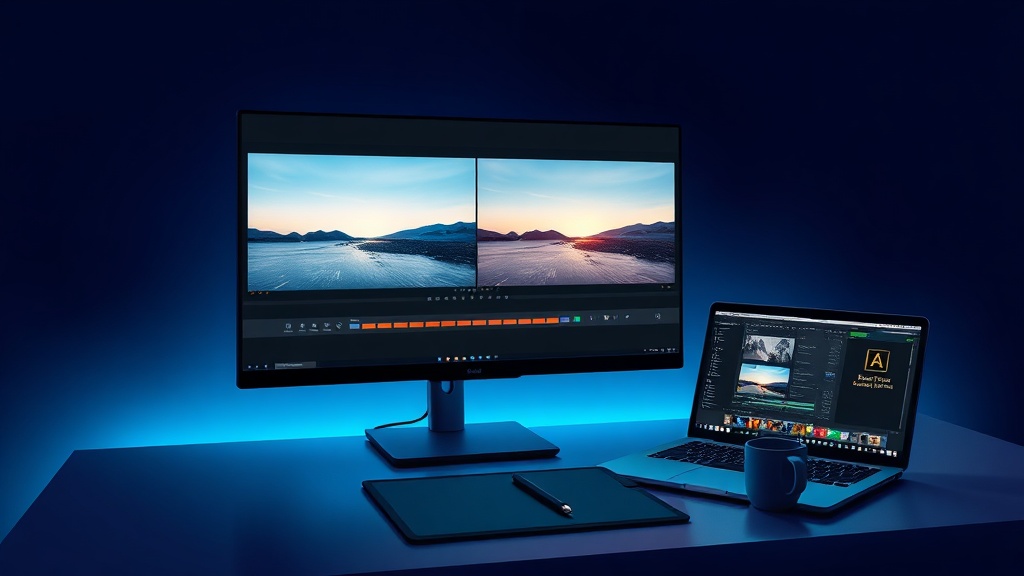
A single commercial photoshoot generates 500+ raw images—and post-processing can consume 6–8 hours of a professional photographer's day. For studios handling multiple shoots weekly, that editing bottleneck directly drags on revenue. Generic AI editing tools have entered the market promising relief, but many professional photographers and marketing directors have discovered that off-the-shelf solutions fall short for studios with high volume, specific brand styles, or demanding commercial clients.
This guide helps studios evaluate whether custom AI photo editing software is the right investment—and how to calculate the ROI before making a decision. We'll compare SaaS solutions against custom development, examine real-world time savings, and provide a framework for choosing the right path for your studio.
Why Professional Studios Are Ditching Generic Editing Tools
The promise of one-click AI editing is seductive. In practice, many professional studios find that generic tools create nearly as many problems as they solve.
Off-the-shelf AI editing software is typically trained on average photography—the kind of images that represent the middle range of consumer and prosumer work. When you feed it studio-specific lighting setups, controlled brand aesthetics, and consistent compositional rules, the results become inconsistent. A fix that works on one portrait might oversharpen a product shot or flatten the depth in a real estate image.
Manual retouching solves the consistency problem but introduces a scaling ceiling. A single retoucher working 8 hours can process roughly 100–150 images with full attention to detail. For a studio producing 2,000 edited images per week, that means multiple retouchers or exhausting overtime shifts.
Then there's the cost structure. SaaS editing subscriptions for a 5-person studio can run $150–$400 per month. That's $5,400–$14,400 over three years—with nothing to show for it other than ongoing access to a tool that still doesn't match your studio's brand style. As teams grow, those costs compound without delivering proportional value. Practitioners report that vendor lock-in becomes a growing concern as studios scale, with subscription price increases and feature removals impacting long-term budgeting.
This is precisely why professional photographers are rapidly adopting AI photo editing software for professional studios that can be trained on their own work—eliminating the post-processing bottleneck while maintaining the consistency that defines a premium studio brand.
How Much Time Can AI Photo Editing Actually Save Your Studio?
Studio owners considering AI photo editing software for professional studios want hard numbers. Based on documented workflow analyses from the photography industry, custom AI solutions can reduce editing time by 60–85% for standard post-processing tasks.
Consider a typical 500-image wedding gallery. Manual retouching covering exposure correction, white balance, skin smoothing, and basic color grading requires approximately 8–10 hours for a skilled editor. With a custom AI model trained on the studio's specific style, that same gallery can be processed in 45 minutes to 1.5 hours—a first pass ready for final quality review.
Understanding how AI photo editing improves studio workflow starts with looking at the numbers across common tasks:
| Editing Task | Manual (per 100 images) | AI-Assisted (per 100 images) | Estimated Time Savings |
|---|---|---|---|
| Culling and sorting | 45–60 min | 5–10 min | 80–90% |
| Exposure and color correction | 60–90 min | 3–5 min | 90–95% |
| Skin retouching | 90–120 min | 2–4 min | 95–97% |
| Background cleanup | 30–45 min | 1–2 min | 93–96% |
| Batch exporting | 15–20 min | 2–3 min | 80–87% |
The AI editing workflow isn't about replacing the photographer. It's about eliminating the repetitive, high-volume tasks that drain creative energy, so the human team can focus on the artistic decisions that define a studio's reputation.
Off-the-Shelf AI vs. Custom AI: Which Is Right for Your Studio?
No single editing solution works for every studio. The right choice depends on your volume, style requirements, and long-term growth plans. Below is a direct comparison to help you evaluate:
| Criteria | Off-the-Shelf AI (SaaS) | Custom AI Solution |
|---|---|---|
| Learning curve | Minimal (hours) | Moderate (days to train) |
| Style consistency | Variable | Highly consistent (trained on studio's own library) |
| Batch processing | Limited (50–200 images) | Unlimited (thousands per batch) |
| Monthly cost (5 seats) | $150–300/month | One-time development + maintenance |
| Integration | Standalone or plugin | Fully integrated into existing DAM workflows |
| Custom retouching rules | None | Trained on studio's past work |
| Ownership | License, no IP rights | Full IP ownership of the model |
| Scaling capacity | Fixed by vendor | Unlimited, grows with studio |
Where off-the-shelf breaks down is at scale, under deadline pressure, with brand consistency requirements. The AI photo retouching software vs manual editing comparison often misses the middle ground: custom AI bridges both worlds by automating the repetitive 80% while preserving the editor's creative control over the final 20%.
A good rule of thumb: if your studio processes more than 2,000 images monthly with specific brand styling requirements, custom AI becomes the smart investment. Below that threshold, a SaaS solution with manual override may serve you well.
The Real Cost of SaaS Editing Subscriptions (And Why Custom Pays Off)
The financial argument for custom AI photo editing software for studios rests on a straightforward breakeven analysis.
A typical 5-person studio running an editing SaaS stack spends $150–$400 per month. Over 3 years, that's $5,400–$14,400 in pure operating expense—money that vanishes with no asset ownership.
A custom AI editing solution typically costs between $15,000 and $40,000 for initial development, depending on complexity, number of editing styles to train, and integration requirements. Annual maintenance runs approximately $2,000–$5,000 for model updates and technical support.
Breakeven calculation: At $300/month in SaaS costs, a $35,000 custom solution pays for itself in approximately 24 months. From month 25 onward, the studio owns the AI outright with dramatically lower ongoing costs.
ROI estimation: A studio saving 15 hours per week on editing can redirect that time to client acquisition. If that additional capacity generates even two new bookings per month at $2,500 each, the custom AI adds $60,000 annually in new revenue—on top of the subscription savings.
Beyond the numbers, custom development eliminates vendor lock-in. No pricing changes, no feature removals, no sunset announcements. The studio controls the tool.
Calculate Your Studio's ROI:
1. Multiply your current monthly editing hours by your hourly billing rate = A
2. Multiply your current monthly SaaS costs by 12 months = B
3. Add A and B, then multiply by your expected time savings percentage = estimated annual value of custom AI
4. Divide the custom development cost by your annual savings = months to breakeven
Can AI Edit in Your Studio's Unique Style? Custom Model Training Explained
Yes—but only if the AI is trained specifically on your studio's past work. This is the single most important distinction between off-the-shelf tools and a custom solution.
For commercial photographers, maintaining a consistent brand style is non-negotiable. A fashion client expects the same color grading, shadow depth, and skin retouching approach across every image in a campaign. A real estate developer wants the same window-pull technique and sky enhancement in every listing. Off-the-shelf AI cannot deliver this consistency because it has never seen your specific work.
Think of training a custom AI model like teaching a new retoucher your studio's style. You start by showing them 500–1,000 of your best-edited images—the full set of before-and-after examples that demonstrate your aesthetic rules. The model learns your patterns: how you handle skin tones, what shadow density you prefer, which color casts you correct and which you leave for artistic effect.
The result is a custom retouching AI that applies your exact style automatically. The photographer still reviews every image and makes creative adjustments, but the AI handles the first pass with 90%+ consistency on repeatable edits. This frees the human team to focus on composition, client communication, and the artistic decisions that no algorithm can replicate.
Human-in-the-loop isn't a compromise—it's the optimal model. The AI generates a proof-ready first pass, and the photographer reviews and refines. Over time, the model learns from those refinements and becomes even more accurate.
AI Batch Editing: How Studio Automation Handles Thousands of Images
For studios producing high-volume work, AI batch photo editing software for studios is where the ROI becomes undeniable.
Picture this workflow: The photographer finishes a shoot and drags the entire folder into the custom AI interface. The system processes each image in 10–20 seconds, applying consistent exposure correction, white balance, skin smoothing, background cleanup, and lens distortion fixes. Within 30 minutes for a 500-image gallery, the AI outputs a proof-ready collection.
That same workload would take a retoucher 8–10 hours manually—spread across an entire day or requiring overtime.
Studio automation tools integrated with a custom AI solution handle a broad range of batch operations:
- Auto exposure and histogram matching across all images
- Consistent white balance for images shot under different lighting conditions
- Skin texture preservation and blemish removal at scale
- Background cleanup for product and portrait photography
- Lens distortion correction and perspective adjustment
- Batch conversion and export to client-specific formats
The benefit extends beyond time savings. Batch processing eliminates the "drift" that occurs when a retoucher edits similar images hours apart—where color tones subtly shift or smoothing levels vary. The AI applies identical adjustments to every image in a set, delivering a consistency that manual editing cannot match.
For studios processing 3,000+ images weekly—common in real estate, e-commerce, and event photography—AI batch editing is the difference between meeting deadlines and constantly falling behind.
Real Estate Photography Case Study: 85% Faster Listing Turnaround
Real estate photography presents unique editing challenges: massive volume, same-day turnaround expectations, and repetitive technical corrections across thousands of similar images.
Consider a mid-size real estate photography studio that shoots 20–30 properties per week. Each property requires bracketed exposures for HDR blending, window pulls to show outdoor views without blowing out interior shadows, sky replacement for overcast days, and geometric correction for wide-angle lens distortion. A 20-property listing package that once took 6 hours of editing now takes 50 minutes with a custom AI solution—an 85% reduction in processing time.
AI photo editing software for real estate photography handles the most time-consuming tasks automatically:
- HDR blending from bracketed exposures in a single step
- Window correction that reveals exterior views while maintaining interior lighting
- Sky replacement with realistic atmospheric matching
- Lens distortion and perspective correction batch-applied across all images
- Color and exposure matching across rooms with different lighting conditions
The studio that adopted this solution now processes 3,000 images per week compared to 500 before automation. They add 10+ additional listings per week to their capacity without hiring—directly increasing revenue by approximately 40% within six months of deployment.
How to Choose the Right AI Solution for Your Studio
This isn't another "best AI editing tools for photography studios 2026" listicle—because the right tool for your studio depends on your workflow, volume, and style requirements, not on generic feature rankings.
Instead, evaluate your decision through these five specific questions:
1. How many images do we edit per week?
Volume is the most reliable indicator. Studios editing fewer than 500 images per week typically do fine with off-the-shelf tools. At 1,000+ images weekly, explore custom options. Beyond 2,000 images weekly, custom AI almost always delivers superior ROI and positive AI photo editing ROI.
2. Do our clients require consistent brand styling?
If your commercial clients demand identical color grading, skin retouching, and compositional treatment across campaigns, custom AI is essential. Generic tools cannot replicate a specific brand aesthetic.
3. Are we locked into one editing style or multiple?
Studios serving diverse clients—weddings one week, commercial products the next—may benefit from multiple custom models trained for each style category. This is more complex but still cost-effective at scale.
4. What's our monthly SaaS cost growing to?
Project your current editing subscription costs 18 months forward, accounting for team growth and price increases. If the trajectory exceeds $500 monthly, the custom development path becomes financially compelling.
5. Do our team need simple tools?
If your editors are non-technical and prefer drag-and-drop simplicity, consider a hybrid approach: run a custom back-end AI model with a simplified interface designed for your team's existing skill level.
Custom AI photo editing software for studios is an investment, not a subscription—make sure your volume justifies it before moving forward.
Next Steps: Building Custom AI Into Your Studio Workflow
If you're ready to explore the path toward custom AI photo editing software for studios, here's what a typical photography AI development engagement looks like:
Phase 1: Audit (Week 1–2) — Review 3 months of editing data: volume, time spent per image, types of edits applied, and workflow bottlenecks. This establishes baseline metrics for ROI calculation.
Phase 2: Prototype (Week 2–4) — Train an initial model on 500–1,000 of your best-edited images. Test it against your current manual workflow and measure accuracy against human editors.
Phase 3: Integration (Week 4–6) — Connect the AI to your existing workflow—Lightroom, Capture One, your DAM platform, or a standalone interface designed for your team. Build the batch processing pipeline.
Phase 4: Refinement (Week 6–8) — Review the first 1,000 AI-processed images with your editors. Fine-tune the model based on their corrections and feedback. Establish the human-in-the-loop review process.
Phase 5: Scale (Week 8+) — Deploy into full production. Monitor throughput, track time savings against your baseline, and schedule quarterly model retraining to account for evolving client preferences and lighting setups (which ensures the AI adapts to new creative directions from photographers).
The best first step is a conversation about your studio's specific editing bottlenecks.
Frequently Asked Questions
What is the difference between AI photo editing and traditional manual retouching? AI photo editing uses machine learning models trained on thousands of images to automate repetitive tasks like exposure correction, white balance, and skin smoothing. Traditional manual retouching requires a human editor to adjust each image individually. Custom AI solutions combine both approaches by automating the first pass while leaving creative decisions to the photographer.
How long does it take to train a custom AI editing model for my studio? Initial training typically takes 2–4 weeks, including model training on 500–1,000 of your professionally edited before-and-after images. Quarterly retraining sessions require 1–2 days to incorporate new editing styles and client preferences.
Is custom AI photo editing software affordable for a small photography studio? Studios processing 500–1,000 images monthly may find the $15,000–$40,000 development cost prohibitive compared to SaaS subscriptions. However, studios exceeding 2,000 images monthly with specific brand requirements typically reach breakeven within 12–24 months, after which the studio owns the AI outright with minimal ongoing costs.
Will AI photo editing replace human photographers? No. Industry research suggests AI functions best as a collaborative tool that handles repetitive editing tasks, not as a replacement for creative direction. The human photographer remains essential for composition, lighting decisions, client communication, and the artistic judgment that defines a studio's reputation.
Can custom AI editing handle different photography genres like wedding, product, and real estate? Yes. Custom AI models can be trained separately for each genre your studio serves. A fashion model requires different color grading and skin retouching rules than a real estate model. Studios with diverse clients often deploy multiple models and switch between them based on project type.
What file formats and editing software does custom AI integrate with? Most custom AI solutions integrate directly with industry-standard software including Adobe Lightroom Classic, Capture One, and Photoshop, as well as digital asset management platforms (DAMs). Batch processing typically works with RAW (CR2, NEF, ARW), DNG, TIFF, and JPEG formats through API connections or plugin architectures.
Conclusion
The photography industry in 2026 is defined by volume pressure and rising client expectations for brand-specific consistency. Choosing the right AI photo editing software for professional studios means looking beyond generic SaaS tools and evaluating whether a custom solution could better serve your studio's specific needs.
The decision ultimately comes down to volume and brand requirements. Low-volume studios with flexible style needs will continue to find value in off-the-shelf SaaS tools. But for studios processing 2,000+ images monthly with consistent brand aesthetics, custom AI delivers faster turnaround, higher consistency, and better long-term economics than any subscription-based alternative.
The studios that treat AI as a collaborative partner—letting algorithms handle the repetitive 80% while humans focus on the artistic 20%—are the ones building competitive advantages that generic tool users cannot match. As one commercial photographer noted, "The goal isn't to let AI do everything. The goal is to let AI do the boring things so I can do the important things."
If your studio is ready to move beyond the limitations of off-the-shelf editing tools, consider a free workflow audit with Clearframe Labs. A 20-minute conversation can reveal exactly how custom AI might fit into your studio's future.
The smartest investment in 2026 isn't just the best AI—it's the one that adapts to the unique way your studio creates.