How to Build an AI Customer Service Chatbot for Your New York Business in 2026
Build a custom AI customer service chatbot for your New York business in 2026. Cut support costs by 50% and deflect 80% of tier-1 queries. Step-by-step guide.
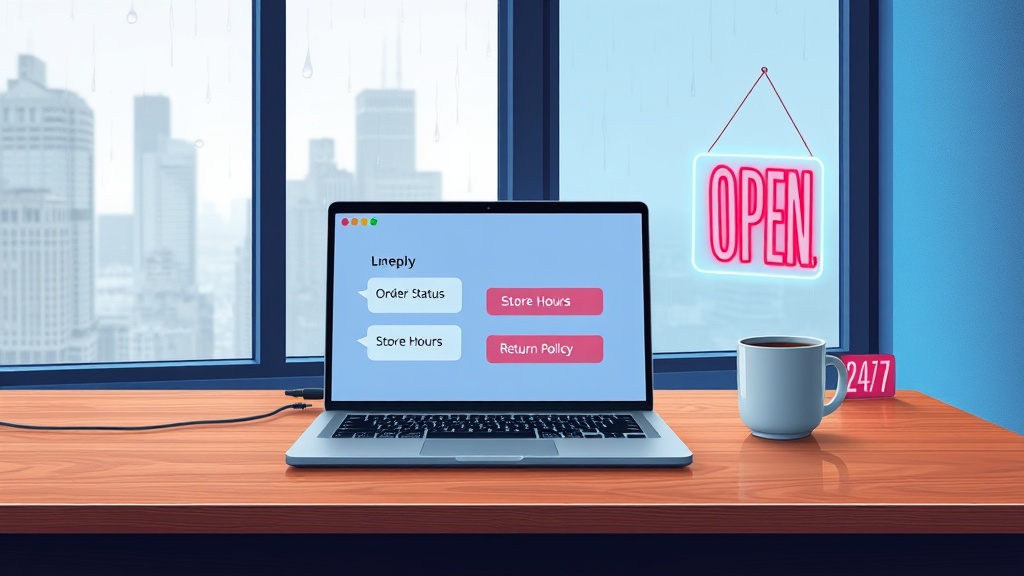
New York businesses face a specific pressure: customers expect instant, 24/7 support, while you're staring at some of the highest service labor costs in the country. Agents in NYC command $45–60 per hour on average, yet most spend 60–70% of their time answering the same tier-1 questions about order status, store hours, and return policies.
AI chatbot development for customer service in New York doesn't need to be overwhelming. Here's the exact playbook to build a solution that cuts costs, improves response times, and actually scales with your business.
This guide walks you through six proven steps: defining your success metric, choosing between custom and off-the-shelf, architecting for compliance, designing conversation flows, integrating with your existing stack, and building a continuous optimization loop. By the end, you'll have a clear roadmap to deploy a chatbot that delivers measurable ROI—typically 40–60% reduction in first-response time and 30–50% cost savings on tier-1 support within 6 to 12 months.
---
Step 1: What Problem Is Your AI Chatbot Solving? (Define Your North Star Metric)
For any AI chatbot development for customer service in New York, the first move isn't technology—it's strategy. What single number will tell you if this investment is working? The three most common North Star metrics for NYC customer service teams are first-contact resolution rate, average handle time reduction, and cost-per-ticket savings.
> [Why do New York businesses need a customer service chatbot in 2026?]: New York businesses face the highest customer service labor costs in the country, with agents averaging $45–60 per hour. A well-designed chatbot can deflect 70–85% of tier-1 queries without human intervention, reducing monthly support costs by tens of thousands of dollars and paying for itself in 6 to 12 months.
First-contact resolution (FCR) is the gold standard. A well-designed chatbot should deflect 70% or more of tier-1 queries—questions about order tracking, password resets, or business hours—without human intervention. Every deflected ticket saves you the $50 per hour you'd pay a NYC support agent.
To estimate your potential ROI, start with a simple calculation. Multiply your current monthly ticket volume by the average handle time in hours, then multiply by your agent's hourly cost. Example: 5,000 tickets per month with an average handle time of 15 minutes equals 1,250 agent hours. At $50 per hour, that's $62,500 per month in support costs. If your chatbot handles 80% of those tickets at roughly $0.10 per interaction, you're looking at $50,000 in monthly savings before development costs.
How to Estimate Your Chatbot's ROI Before Building
Use this straightforward formula: (Current monthly support cost) × (expected deflection rate) – (development + maintenance cost) = net monthly savings. For most NYC mid-market businesses with 3,000–10,000 monthly tickets, custom chatbots pay for themselves in 6 to 12 months. SaaS bots may show ROI in 1 to 3 months but deliver significantly lower long-term value due to limited customization and shallow integrations.
The cost to develop a custom AI chatbot ranges from $30,000 to $150,000 depending on complexity and compliance needs. Compare this to hiring just one additional NYC-based support agent at $50/hour plus benefits—you'll quickly see the long-term economics favor building.
---
Step 2: Should You Build or Buy an AI Customer Service Chatbot?
Every NYC business eventually stares down the build vs. buy AI chatbot decision. The answer depends on three factors: your system complexity, your compliance requirements, and your workflow depth.
| Factor | Custom Development | Off-the-Shelf (SaaS) |
|---|---|---|
| Upfront cost | $30,000–$150,000 | $200–$1,000/month |
| Integration depth | Unlimited (APIs, custom databases, legacy systems) | Limited to pre-built connectors |
| Compliance control | Full (HIPAA, NY SHIELD, SOC 2) | Limited to vendor's certifications |
| Deflection rate achievable | 75–85% for complex queries | ~60% for simple FAQ queries |
| Time to deploy | 6–12 weeks (MVP) | 1–2 weeks |
| Scalability | Hardware and architecture you control | Subject to vendor limits and pricing tiers |
Custom AI chatbot development New York projects succeed precisely because they solve the problems SaaS cannot: integration with proprietary databases, support for multi-step workflows like insurance pre-authorization, and full data residency control.
3 Questions to Decide Build vs. Buy
1. Do you have legacy systems (ERP, custom CRM, proprietary databases)? If yes, building is likely your best path. SaaS chatbots cannot connect to systems without a pre-built API integration.
2. Do you handle PHI, PII, or financial data under NY SHIELD Act or HIPAA? If yes, building is essentially required. You cannot sign a business associate agreement with most SaaS chatbot vendors, and you lose control over data residency.
3. Do you need the bot to execute multi-step workflows (not just answer FAQs)? If yes, custom development outpaces SaaS. A chatbot that books appointments, processes refunds, or triggers backend workflows needs full control over the logic layer.
If you answered yes to any of these questions, the build vs. buy AI chatbot decision becomes clear—custom development is the only path to a solution that truly solves your business problems.
---
Step 3: How Do You Make Your AI Chatbot HIPAA and NY SHIELD Act Compliant?
You make an AI chatbot HIPAA compliant by encrypting all data in transit and at rest, masking protected health information before it reaches the LLM, storing conversation logs in a HIPAA-eligible cloud environment (AWS or GCP with a signed Business Associate Agreement), and implementing strict access controls with full audit trails.
> [Is an AI chatbot HIPAA compliant for healthcare customer service?]: Yes, when architected correctly. The solution requires encrypting all data end-to-end, masking PHI before it reaches the LLM, storing logs in a HIPAA-eligible cloud with a signed BAA, and enforcing role-based access controls. Costs typically run 15–25% more than a standard chatbot but eliminate regulatory risk exposure.
Healthcare AI chatbot compliance HIPAA cannot be an afterthought. If you design the architecture from day one with compliance baked in, you avoid costly rebuilds and legal exposure later. The architecture must include five critical components.
First, PII and PHI detection and masking must happen before any data reaches the LLM. The chatbot should strip patient names, Social Security numbers, and medical record numbers from the prompt, then reconstruct context after the LLM response. Second, the vector database storing past conversations must use AES-256 encryption. Third, all access to the agent dashboard requires role-based controls—supervisors see conversation logs, agents see only their assigned cases, and the LLM sees only de-identified inputs.
For NYC businesses, the NY SHIELD Act adds another layer. It requires "reasonable safeguards" for private data, which courts have interpreted to include encryption, access controls, and an incident response plan. A chatbot architecture designed for compliance meets all these requirements.
The cost premium for compliance-ready architecture is roughly 15–25% more development time compared to a standard chatbot. That premium is negligible compared to the cost of a data breach or regulatory fine. Clearframe Labs built an insurance pre-authorization workflow chatbot that handles PHI with full HIPAA compliance—the architecture was designed for compliance from the first line of code, not retrofitted afterward.
Architecture Checklist for Compliance-Ready Chatbots
- BAA signed with cloud provider (AWS, GCP, or Azure)
- PII/PHI detection plus masking before LLM inference
- Encrypted vector database using AES-256
- Role-based access control for the agent dashboard
- Full conversation audit logging that is immutable
- Data residency restricted to US-based servers only—critical for NYC compliance
---
Step 4: How to Build an AI Customer Service Chatbot That Actually Helps Customers
To build an AI customer service chatbot that actually helps customers, you must map every common support intent to a resolution path, design clear escalation rules for when the bot should hand off to a human, and write system prompts that enforce helpful, concise responses.
According to industry research, the most effective architecture follows a three-tier design. Tier 1 handles FAQ-level questions: store hours, return policies, order status. These should be answered instantly with no human involvement. Tier 2 handles guided resolution—multi-step troubleshooting where the bot asks clarifying questions, checks knowledge bases, and provides step-by-step instructions. Tier 3 is human handoff, where the bot creates a summary ticket and transfers full conversation context to a live agent.
The AI chatbot vs live chat for customer support design difference matters here. The bot handles predictable, repeatable queries that account for roughly 85% of support volume. Live agents handle complex, emotional, or escalated cases that require empathy and judgment. For NYC businesses operating 24/7, the bot must handle Tier 1 and Tier 2 overnight without human backup.
Consider a property management firm handling maintenance requests. The chatbot collects the apartment number, issue category (plumbing, electrical, HVAC), and photo evidence, then automatically dispatches the request to the right vendor. The human agent only gets involved if the tenant reports an emergency or the bot cannot classify the issue.
System prompts must enforce helpful, concise behavior. Tell the LLM: "You are a customer service assistant for a New York business. Answer in 2–3 sentences. If you cannot resolve the issue in three turns, escalate to a human agent. Never make up information about policies or pricing."
When Should a Chatbot Hand Off to a Human?
Three triggers require immediate escalation. Sentiment triggers fire when the language model detects frustration, anger, or repeated confusion from the customer. Query complexity triggers fire when the bot cannot resolve within three conversation turns. Compliance threshold triggers fire when the customer asks a question requiring a licensed professional—for example, insurance advice or medical diagnosis interpretation.
---
Step 5: How Do You Connect Your Chatbot to Your CRM, Helpdesk, and Other Systems?
You connect your chatbot to your CRM and helpdesk using secure API integrations that allow the bot to pull customer data, read order history, create tickets, and update records in real time. This integration layer is the primary differentiator between a successful custom chatbot and a failed SaaS deployment.
> [How do you integrate an AI chatbot with existing business systems?]: Use a middleware orchestration layer (built with n8n, Python, or FastAPI) that routes authenticated API calls between the chatbot and your CRM, helpdesk, ecommerce platform, and internal databases. Never expose internal endpoints directly—all calls must use OAuth 2.0 or API keys with full audit logging.
For custom AI chatbot development New York projects, the "glue" work is where the real value emerges. Typical integrations for NYC enterprises include:
- Salesforce or HubSpot CRM for customer tier lookups and purchase history
- Zendesk or Intercom for automatic ticket creation and updates
- Shopify or Magento for order status checks and return processing
- Slack or Teams for notifying human agents when handoff is needed
The architecture follows a middleware pattern. A lightweight orchestration layer—built with n8n, custom Python, or FastAPI—routes data between the chatbot and multiple backends. The chatbot never directly accesses internal databases. Instead, it makes authenticated API calls through the orchestration layer, which handles authentication, rate limiting, and error handling.
Security is non-negotiable. All API calls must use OAuth 2.0 or API keys. Internal endpoints must never be exposed directly. The orchestration layer should log every request and response for audit purposes, and failed integrations should trigger graceful fallback messages to the customer.
The Integration Checklist for Enterprise Chatbots
1. CRM integration for account lookups and case creation
2. Helpdesk integration for automatic ticket creation and updates
3. Knowledge base integration for retrieval-augmented generation (RAG) to answer dynamic FAQs
4. Human agent notification system using Slack or Teams webhooks
5. Error handling that provides graceful fallback messages when an integration fails
---
Step 6: How Do You Measure Success and Continuously Improve Your Chatbot?
You measure success by tracking your North Star metric daily, reviewing conversation logs weekly, and running A/B tests on conversation flows monthly to continuously improve deflection rates and customer satisfaction. Deployment is not the finish line—it is the beginning of optimization.
> [What metrics prove an AI chatbot is working for customer service?]: The four key metrics are deflection rate (target: 70%+ for tier-1 queries), CSAT score (target: 4.0/5.0+), escalation rate (target: under 15% for designed intents), and average resolution time (target: under 2 minutes for bot-handled queries). Review 20 random conversations weekly and run A/B tests monthly to drive continuous improvement.
Four key metrics matter post-launch. Deflection rate should target 70% or higher for tier-1 queries. Customer satisfaction score (CSAT) should target 4.0 out of 5.0 or higher. Escalation rate should stay below 15% for designed intents. Average resolution time should be under two minutes for bot-handled queries.
Weekly reviews are essential. The AI team should sample 20 randomly selected conversations per week, reviewing for quality, edge cases, and missed opportunities. Each conversation that required escalation should be analyzed to determine whether the chatbot could have handled it with better training data or a different conversation flow.
Monthly A/B testing drives improvement. Test variations in system prompts to see which produces higher CSAT scores. Test different escalation triggers to find the sweet spot between too many handoffs (defeating the purpose) and too few (frustrating customers). Test response tone to match your brand voice.
Enterprise AI customer service solutions NYC require this discipline. Dropping a bot and walking away kills ROI within weeks. The businesses that see the best returns treat their chatbot as a living system, continuously refined based on real user behavior.
The 90-Day Optimization Roadmap
- Month 1: Launch core intents and collect baseline data. Do not try to cover every possible query on day one. Start with the top ten most common ticket categories and expand from there.
- Month 2: Add three to five new intents based on real conversation logs.
- Month 3: Optimize escalation logic and run A/B tests on greetings, aiming for a 15% improvement in deflection rate.
---
Frequently Asked Questions
How much does it cost to build a custom AI customer service chatbot for a New York business?
Custom chatbot development typically costs $30,000–$150,000 depending on complexity, integration depth, and compliance requirements. SaaS alternatives run $200–$1,000 monthly but lack the customization needed for complex New York business workflows.
How long does it take to deploy an AI chatbot for customer service?
A custom MVP can be deployed in 6–12 weeks for most mid-market NYC businesses. Off-the-shelf solutions can go live in 1–2 weeks but offer limited customization and lower deflection rates.
Can an AI chatbot handle customer support in multiple languages for a diverse New York customer base?
Yes, modern LLM-based chatbots support dozens of languages natively. The integration and compliance architecture remains the same regardless of language, but you must ensure your knowledge base and training data cover the languages you need to support.
What happens when the AI chatbot encounters a question it cannot answer?
The system should immediately escalate to a human agent with full conversation context. Set a three-turn limit for unresolved queries. Sentiment triggers should also fire if the customer expresses frustration or confusion.
Do I need a technical team to maintain the chatbot after launch?
You need someone to review conversation logs weekly and adjust system prompts or knowledge base entries. For custom chatbots, a fractional AI engineer or the development partner typically handles technical maintenance. Clearframe Labs provides ongoing optimization support for all deployed chatbots.
---
Ready to Build Your AI Customer Service Chatbot?
Building a custom AI chatbot for customer service in New York is a six-step journey: strategy, architecture, compliance, design, integration, and optimization. The math works—for NYC businesses with 5,000 or more monthly support tickets, a custom chatbot pays for itself in 6 to 12 months. The alternative means bleeding money on $50-per-hour agents handling repeat questions that a $0.10-per-interaction bot could solve instantly.
AI chatbot development for customer service in New York is your competitive advantage in 2026. The businesses that act now will have a six-month head start on their competitors. For expert help with custom, compliant AI chatbot development for your New York business, Clearframe Labs offers end-to-end development, from strategy assessment through compliance audit, pilot build, deployment, and ongoing refinement.