How to Implement AI Video Analytics for Retail Store Traffic: A 6-Week Deployment Guide
Deploy AI video analytics for retail store traffic in 6 weeks. Learn how to configure zone-level data, measure ROI, and integrate with your existing infrastructure.
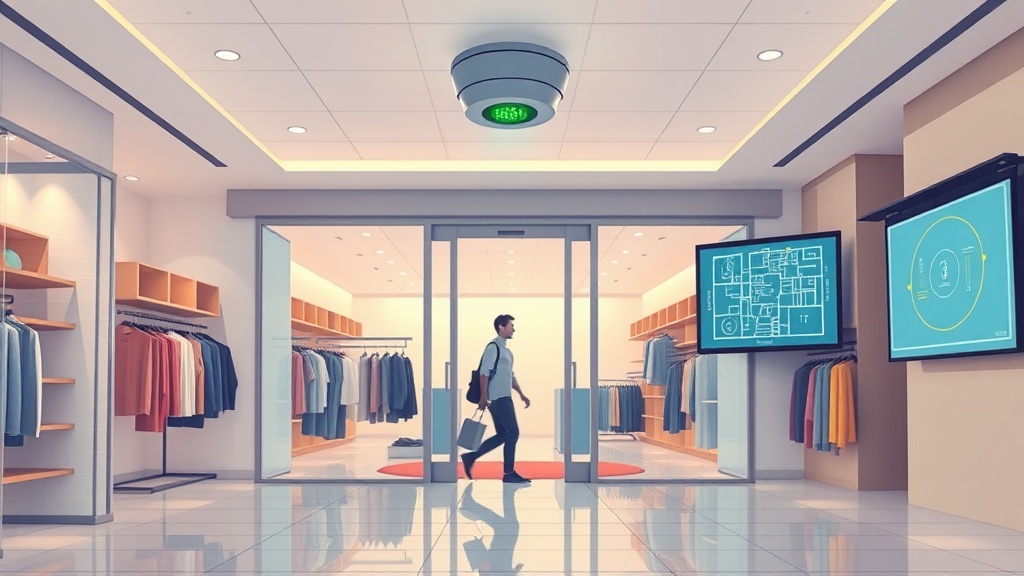
Every retailer has felt that specific frustration. You look at your foot traffic data, make staffing calls based on those numbers, set your inventory levels, and then your conversion reports tell a completely different story. It's a mess.
Manual clickers have never been reliable. Basic infrared sensors miss kids, groups, or anyone shuffling through too slowly. In an omnichannel world where every interaction matters, bad traffic data doesn't just cost you a few miscounted shoppers. It costs you revenue, labor efficiency, and any edge you had over the competition.
AI video analytics for retail store traffic changes that. Instead of guessing how many people entered, you get real-time, anonymized data with 95–98% accuracy. The tech has matured fast. It no longer requires a six-figure budget or a small army of data scientists. Get the approach right, and you can go from zero to operational in six weeks.
This guide covers a six-step deployment framework built for operations managers, digital transformation leaders, and C-suite executives. You will learn how the tech works, how to set it up for zone-level accuracy, and — most importantly — what kind of ROI you can expect in the first three to six months. Expect to see estimated ROIs and time savings throughout.
According to a 2024 National Retail Federation study, retailers using AI-powered traffic analytics see conversion rate improvements between 5 and 15 percent. A 2025 McKinsey report found that AI-driven labor optimization alone reduces scheduling costs by 15 to 25 percent. The typical break-even point for a mid-size store deployment falls between three and six months.
Let's get into it.
---
Step 1: How Does AI Video Analytics Work in Retail? Understanding the Tech
AI video analytics for retail works by using computer vision algorithms to analyze live video feeds from security or dedicated cameras. It detects and tracks people without recording or storing identifiable footage. The process happens in three stages: a camera captures frames, an edge processor runs an AI model on-device, and anonymized metadata — counts, paths, dwell times — gets sent to a cloud dashboard.
> How does AI video analytics work in retail? AI video analytics for retail store traffic analysis uses computer vision on edge devices to detect and track people in video frames. The raw footage is analyzed locally, and only anonymized metadata (counts, movement paths, dwell times) is transmitted to a cloud dashboard. No identifiable images ever leave the store.
Does AI video analytics record video footage? No. Only anonymized metadata is retained. When you ask "how does AI video analytics work in retail," the privacy-first answer matters most to compliance teams. The raw video is analyzed on the camera itself or on a nearby edge device. The only thing transmitted is numeric data: the number of people detected, their movement paths (as coordinates, not images), and how long they stayed in each zone.
Two Core Technologies Powering It
Computer vision is the AI system that identifies people, vehicles, and objects within each video frame. Unlike simple motion detection that triggers on any pixel change, computer vision models are trained to recognize human shapes, distinguish customers from employees, and even track individuals across multiple camera views without storing identifiable biometric data.
Edge processing ensures the video never leaves the store. The AI model runs on a small processor connected to the camera or integrated into a network video recorder. This isn't a theoretical privacy feature — it is an architectural choice that simplifies compliance with CCPA, GDPR, and state biometric privacy laws like those in Illinois, Texas, and Washington.
Data Output Examples
Once the system processes the video, you receive real-time data including:
- Visitor counts (entries and exits per door)
- Dwell times (seconds spent in each zone)
- Heat maps (high-traffic areas visualized over time)
- Queue lengths (real-time checkout and service desk monitoring)
As Dr. Sarah Chen of Stanford HAI notes, "Retail is uniquely positioned to benefit from AI video analytics because stores already have camera infrastructure; the leap is in software, not hardware." This anonymized data becomes the foundation for ROI calculations later in the deployment. With accurate, privacy-compliant traffic data in hand, you are ready to compare this approach to the tools you may be using today.
---
Step 2: AI Video Analytics vs Traditional People Counters: Which Is Right for You?
If you have been using manual clickers, infrared beams, or thermal sensors, you already know their limitations. But are they acceptable for your business, or should you upgrade?
AI video analytics achieves 95–98 percent accuracy under optimal conditions, while traditional thermal or IR counters typically achieve 60 to 80 percent. The difference compounds daily. A store averaging 1,000 visitors per day could be misreporting 300 to 400 people if using an 80-percent-accurate sensor.
Comparison Table: AI Video Analytics vs Traditional People Counters
| Factor | AI Video Analytics | Traditional People Counters |
|---|---|---|
| Accuracy | 95–98% (industry benchmarks) | 60–80% (industry benchmarks) |
| Data depth | Dwell times, heat maps, queue alerts, conversion rates | Simple count (entry/exit only) |
| Cost per store | Medium (software + existing cameras) | Low (hardware only) |
| Scalability | Cloud dashboard, multi-store rollouts | Independent per-location hardware |
| Privacy | Edge processing, no footage stored | No footage — but no insights either |
| Integrations | POS, inventory, CRM, workforce management | None |
When traditional counters still make sense. Single-location convenience stores, very low-traffic shops, and budget-constrained independent retailers may find that accuracy improvements do not justify the upgrade cost. If your store sees fewer than 200 daily visitors and has no omnichannel operations, a $200 thermal counter could be sufficient.
Do I need new cameras for AI video analytics? Most solutions work with existing 1080p-plus cameras. If your current cameras are 720p or lower, or if they lack sufficient resolution for aisle-level detection, you may need to upgrade. Leading solutions offer mobile app dashboards for store managers on the floor, making real-time data accessible anywhere. Even at typical subscription costs, AI saves more than the monthly fee in labor optimization alone — according to McKinsey, even at $200–500/month per store, AI saves $1,000+/month in labor optimization.
---
Step 3: Configuring AI Foot Traffic Analytics for Accurate Zone-Level Data
Accurate AI foot traffic analytics begins with strategic camera placement and zone configuration. You cannot simply install software and expect perfect data — the physical setup determines data quality.
Camera Placement Best Practices
Entry/exit zones require one to two cameras covering the full width of each door, mounted eight to ten feet high. This height provides an overhead angle that reduces occlusion from groups entering together.
Aisle coverage should place a camera every two to three aisles. Closer spacing is needed for narrow aisles; wider spacing works for open-floor layouts. The goal is to capture dwell time data for each product section without gaps.
Checkout zones benefit from overhead cameras at a steep downward angle. This enables queue detection and length measurement, which triggers alerts when lines exceed your threshold.
Privacy Compliance Checklist
| Requirement | Action | Timeline |
|---|---|---|
| CCPA (California) | Post signage about video analytics | Before deployment |
| GDPR (EU retailers) | Data processing impact assessment | Week 1–2 |
| Biometric privacy laws (IL, TX, WA) | No facial recognition policies | Week 1 |
| Internal policy | Employee notice + training | Week 2–3 |
Practitioners report that proper zone setup reduces false positives by approximately 30 percent compared to default configurations. For example, defining the checkout zone with a two-foot buffer around the register area prevents counting employees behind the counter as customers. Setting dwell time thresholds at 3 seconds for "passing through" versus 15 seconds for "engaging with product" separates browsers from buyers.
Accurate dwell time data helps optimize staffing by an estimated 15 to 20 percent, according to McKinsey 2025. When you know that the promotional aisle sees peak traffic between 4 PM and 6 PM, you can schedule an additional associate during those hours and reduce coverage during slower periods. Most existing 1080p+ cameras work for this level of detail, though upgrading to 4MP cameras improves aisle coverage accuracy.
---
Step 4: How to Measure Retail Store AI Analytics ROI
Retail store AI analytics ROI is measured across four categories: labor efficiency, shrinkage reduction, inventory optimization, and revenue lift. Each category has independently verifiable benchmarks from published industry research.
Four ROI Categories
1. Labor optimization. Real-time demand-based scheduling using traffic data reduces labor costs by 15 to 25 percent, according to McKinsey 2025. Instead of guessing how many cashiers you need on a Tuesday afternoon, you have historical data showing exactly how many people arrive per hour on that day of the week. Industry research suggests that stores implementing zone-based staffing see additional efficiency gains of 8–12 percent.
2. Shrinkage reduction. Anomaly detection from AI video analytics reduces inventory loss by up to 30 percent, according to NRF 2024 data. The system flags unusual behavior patterns — items removed from shelves without matching POS transactions, repeated visits to high-value product sections, or merchandise concealed in bags or strollers.
3. Conversion rate improvement. Heat maps reveal where customers actually walk versus where you assumed they would. Simple layout changes informed by this data lift conversion rates by 5 to 15 percent. Moving a promotional display from an ignored corner to a high-traffic pathway costs nothing but produces measurable revenue.
4. Inventory accuracy. Shelf monitoring integration prevents stockouts and overstock situations. Retailers implementing real-time shelf monitoring report reducing lost sales due to stockouts by 3 to 5 percent.
As Mark Thompson, former Walmart VP of Operations, puts it: "The biggest ROI from video analytics isn't counting people — it's understanding why they leave without buying."
ROI Calculator Example
Consider a mid-size store spending $15,000 monthly on labor and losing $4,000 per month to shrinkage. After AI video analytics deployment:
- Labor savings: $2,500/month (17 percent reduction)
- Shrinkage reduction: $1,200/month (30 percent reduction)
- Implementation cost amortized: $500/month
- Net benefit: $3,200/month per store
Total annual savings: $38,400 per store. For a ten-store chain, that is $384,000 annually.
What does AI video analytics cost per store? Budget requirements vary based on store size, camera count, and existing infrastructure. Most vendors offer tiered pricing based on number of zones and data retention periods. A typical deployment for a 5,000-square-foot store with six zones ranges between $200 and $500 monthly, with a one-time setup fee. For custom ROI modeling tailored to your specific store footprint, Clearframe Labs' AI consulting services can help (/services/ai-consulting).
---
Step 5: Integrating AI-Powered Shelf Monitoring with Retail Inventory Systems
AI-powered shelf monitoring uses the same camera infrastructure to detect empty shelves, misplaced products, and low inventory levels in real time. The computer vision model that tracks people can also examine shelf depth and product placement across all camera views.
Stockout Detection
Every five minutes, the AI checks shelf depth in designated zones. When a shelf drops below a configurable threshold, an alert is sent to the store manager's mobile device. This reduces the time between stockout and restocking from an average of two hours to under ten minutes.
Industry data from Gartner 2026 suggests that retailers using shelf monitoring reduce lost sales due to stockouts by 3 to 5 percent. For a store generating $5 million annually, that represents $150,000 to $250,000 in recovered revenue.
Planogram Compliance
The AI compares the actual shelf layout to the target planogram and flags deviations within ten minutes. Leading retailers achieve 95 percent plus compliance using automated monitoring versus 70 percent with manual audits. When products are placed outside their assigned locations, customer findability decreases and cross-sell opportunities are lost.
Queue Monitoring
Real-time alerts when checkout queues exceed three people trigger additional register openings. Retailers with queue alerting report 10 to 15 percent improvement in checkout throughput. The same camera that monitors shelf depth also tracks line length at the register area.
Can AI video analytics detect theft? Yes, through anomaly detection. The system flags items removed from shelves without matching POS transactions within a configurable time window. It does not store video evidence — it simply alerts the manager that an anomaly occurred at a specific shelf during a specific time.
The real efficiency gain comes in replenishment speed. Real-time alerts to floor teams reduce shelf replenishment time from two hours to under ten minutes. A mid-size grocery chain saved an estimated $200,000 per year in stockout losses with a 12-store deployment using this approach. Need help integrating shelf monitoring with your existing inventory system? Contact our team.
---
Step 6: Scaling AI Video Analytics Across Your Store Chain
Scaling begins with a controlled pilot that validates configuration, refines thresholds, and demonstrates ROI to stakeholders. A disciplined approach prevents wasted capital on stores with unsuitable camera infrastructure or layout.
6-Week Pilot Timeline
| Week | Activity | Deliverable |
|---|---|---|
| 1–2 | Audit store infrastructure + select pilot location | Camera count, specs, network bandwidth check |
| 3–4 | Install/upgrade cameras + analytics software + calibrate zones | Zone definitions, threshold settings |
| 5 | Train store managers on dashboard + create SOPs | Training completion, cheat sheet |
| 6 | Go-live + initial data review | Dashboard live, first weekly report |
After validating the pilot, expand to 10 to 20 stores. This phase tests regional variance: does a downtown store behave differently from a suburban location? Adjust zone thresholds and alert sensitivities based on real data.
Chain-wide deployment becomes a capital allocation decision once pilot ROI is validated. The centralized dashboard enables region-level segmentation — compare traffic patterns across different geographies, store formats, or seasons.
Pilot stores cost approximately 150 percent of steady-state deployment due to setup labor and calibration overhead. After the pilot, per-store deployment costs drop as vendor proficiency increases and template configurations are reused. Ready to scale your pilot? Explore our expansion packages.
---
Estimated ROI: What You Can Expect (3–6 Months)
The three-to-six-month break-even projection is grounded in published industry benchmarks rather than vendor claims. Here is what the numbers look like:
- Labor optimization: 15–25% reduction in scheduling waste
- Shrinkage reduction: Up to 30% decrease in inventory loss
- Conversion improvement: 5–15% lift from layout changes
- Stockout reduction: 3–5% increase in available inventory
For a single store with $15,000 monthly labor costs and $4,000 monthly shrinkage, the combined savings of $3,200 per month covers subscription costs within 60 to 90 days. After that, the savings flow directly to the bottom line.
---
Frequently Asked Questions
How accurate is AI video analytics for retail traffic counting? Under optimal conditions with properly calibrated cameras and well-defined zones, AI video analytics achieves 95–98 percent accuracy. Traditional thermal or IR counters typically achieve only 60–80 percent accuracy.
Is AI video analytics compliant with privacy laws? Yes, when implemented correctly. Edge processing ensures raw video never leaves the store, and only anonymized metadata is stored or transmitted. This satisfies CCPA, GDPR, and state biometric privacy requirements.
How long does it take to deploy AI video analytics in my store? A pilot store requires six weeks from initial infrastructure audit to go-live. Subsequent stores typically deploy in two to three weeks each.
What kind of ROI can I expect? Most mid-size stores break even within three to six months. Estimated annual savings per store ranges from $30,000 to $50,000 through labor optimization, shrinkage reduction, and stockout prevention.
Do I need to buy new cameras? Most solutions work with existing 1080p-plus cameras. If your cameras are 720p or lower, you may need to upgrade for zone-level accuracy.
Can AI video analytics integrate with my existing POS system? Yes. Most AI video analytics platforms offer API integrations with major POS, inventory management, and workforce scheduling systems.
---
Conclusion: Start Your AI Video Analytics Pilot in 6 Weeks
The six-step framework outlined here — understanding the technology, comparing options, configuring for accuracy, measuring ROI, integrating with inventory, and scaling — gives you a structured path from evaluation to operational deployment in six weeks. AI video analytics for retail store traffic replaces guesswork with real-time, actionable data that optimizes labor, reduces shrinkage, and boosts revenue. Retailers who deploy AI video analytics for retail store traffic in 2026 will build a two-to-three-year data advantage over competitors who wait.
Your next move is straightforward: select one or two pilot stores, audit your existing camera infrastructure, and begin the six-week deployment timeline. The data you collect will transform how you schedule staff, manage inventory, and design your store layout.
Ready to transform your retail operations with AI video analytics? Get in touch for a free infrastructure audit and ROI projection. Visit clearframelabs.co/contact to get started.