AI Photo Editing API Integration for Studios: A 2026 Guide
Learn how to automate photo retouching with a custom AI editing API. Discover pricing, ROI, and integration tips to scale your studio's workflow in 2026.
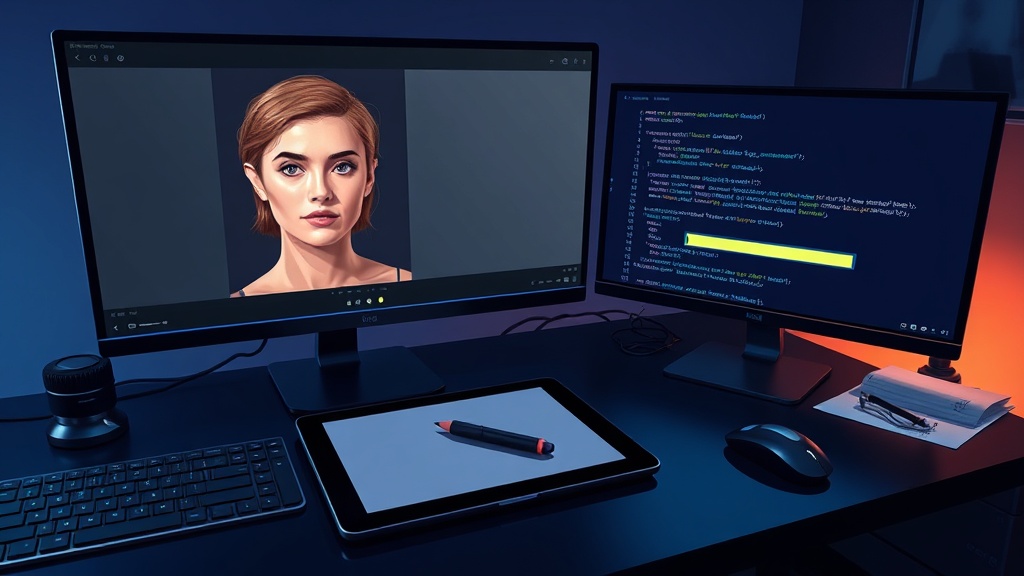
Every studio owner knows the feeling. You've just wrapped a 50-headshot session, and now comes that brutal 40% of post-production time spent on repetitive retouching. Generic AI tools promise shortcuts but often deliver mediocre results that don't match your brand's specific aesthetic. This guide explores AI photo editing API integration for studios—what works, what doesn't, and how to get real ROI from custom solutions that actually understand your editing style.
The gap between off-the-shelf AI tools and studio-grade quality is wider than most vendors admit. But the right integration approach can transform your workflow entirely.
Why Professional Studios Are Adopting AI Photo Editing APIs in 2026
Professional studios are adopting AI photo editing APIs in 2026 because the technology has finally crossed the threshold from "novelty" to "production-ready"—handling 85–95% of retouching tasks with minimal human oversight.
The retouching bottleneck is real. Industry research suggests the average studio spends roughly 40% of post-production time on repetitive edits like color correction, skin smoothing, and background cleanup. That's time your senior editors could spend on creative work that actually differentiates your studio.
Three main drivers are pushing studios toward API-based automation:
- Volume scalability. Clients increasingly expect 24- to 48-hour turnaround on large batches, even for event and commercial work. Manual editing simply cannot scale beyond a fixed number of images per editor per day.
- Consistency across shooters. When multiple photographers contribute to a single project, maintaining a uniform look becomes exponentially harder. An AI model trained on your specific editing guidelines ensures every image matches your brand.
- Cost reduction. The typical studio can expect a 30–50% cost reduction in editing labor within six months of proper integration. For a mid-size studio processing 500 images weekly, that translates to thousands saved monthly.
But cost savings are only part of the picture—the real ROI story is richer than a simple line item.
The ROI of Custom AI Photo Editing (Not Just Cost Savings)
Cost reduction matters, but it's just one layer of the return on investment that custom AI photo editing delivers. The studios seeing the best results focus on three distinct ROI categories: time savings, quality improvements, and revenue growth.
Beyond the Price Tag: What "AI Photo Editing API Pricing for Small Studios" Actually Means
Pricing for AI photo editing APIs varies wildly—from $0.01 per image for basic background removal to custom contracts in the tens of thousands. Small studios often ask about AI photo editing API pricing for small studios and discover that the market lacks transparency.
At Clearframe Labs, we use project-based pricing. Typical small studio integrations start in the $5,000–$15,000 range depending on complexity. But the right question isn't "What does it cost?" but "What does the return look like?" Most integrations pay for themselves within 8–12 months through reduced editing labor alone, before accounting for the additional revenue from increased capacity.
How to Automate Photo Retouching with AI Without Sacrificing Quality
Studio owners frequently ask how to automate photo retouching with AI while maintaining their brand's unique aesthetic. The answer lies in custom model training.
Generic AI tools achieve around 60–70% first-pass accuracy on professional photography. Custom models trained on your studio's editing history hit 85–95%. That difference means your editors review and approve rather than fix and redo.
The time savings are dramatic. A custom AI API processes 200+ images per hour compared to 20–30 images manually. For a team of five editors, that saves 30–40 hours per week—effectively adding two full-time editors' worth of capacity without hiring.
Cost reductions of 30–50% on editing labor are typical, but the bigger win is the ability to take on two to three times more volume without scaling headcount. Studios that integrate properly don't just save money; they change their business model entirely.
Custom vs. Off-the-Shelf AI Photo Editing APIs: What Actually Works for Studios
The best AI photo editing API for photography studios isn't the most popular one—it's the one that understands your specific aesthetic. Making the right choice requires understanding when off-the-shelf solutions suffice and when custom development wins.
When Off-the-Shelf APIs Work (and When They Don't)
Generic APIs handle basic edits well. Background removal, exposure correction, and basic color adjustments work reliably at low cost, typically $0.01–$0.10 per image. For purely functional photography like real estate listings or simple product shots, these tools are adequate.
The problems emerge when your work demands nuance. Brand-specific edits like skin tone consistency, custom color grading, or specific retouching guidelines that define your studio's style are beyond what generic APIs can manage. They produce results that look "AI-generated" rather than "professionally edited."
The Case for Custom AI Photo Editing Software Development
When volume and consistency matter most, custom models outperform every off-the-shelf option. Training a model on your editing history—thousands of before-and-after pairs—produces results that match your specific aesthetic.
The cost advantage compounds at scale. Off-the-shelf APIs charge per image forever. Custom development is a one-time setup with per-image costs dropping to $0.003–$0.008 at volume. For studios processing 100,000+ images annually, that difference is substantial.
Industry data shows that 70% of studios that try generic APIs for more than three months switch to custom within a year. The initial convenience of plug-and-play tools doesn't offset the ongoing quality compromises and per-image costs.
Comparison: Custom vs. Off-the-Shelf AI Photo Editing APIs
| Feature | Off-the-Shelf APIs | Custom APIs |
|---|---|---|
| Setup Cost | Low (per-image fees) | Higher one-time (e.g., $5k–$15k) |
| Per-Image Cost | Higher ($0.01–$0.10) | Lower ($0.003–$0.008) |
| Quality Consistency | 60–70% first-pass accuracy | 85–95% first-pass accuracy |
| Aesthetic Control | Minimal; generic results | High; trained on your style |
| Best For | Basic edits, simple product shots | High-volume, brand-specific work |
| Scalability | Limited by cost per image | Highly scalable with low marginal cost |
How AI Photo Editing APIs Integrate with Your Existing Workflow
Integration complexity is the top barrier for 62% of studios considering AI photo editing. The process is straightforward with the right approach, but it requires understanding your specific workflow.
The Workflow Integration Blueprint
1. Audit your current workflow. Map every step from import to final delivery, identifying which edits are repetitive, rule-based, and suitable for automation. Common candidates include culling, color correction, skin retouching, background cleanup, and consistent cropping.
2. Define the AI's scope. Decide exactly which edits the AI handles. Not everything needs automation—creative, subjective edits should remain with your human editors. The goal is eliminating the boring, repeatable work.
3. Connect the API to your tools. Whether you use Lightroom, Capture One, Photo Mechanic, or a custom pipeline, modern APIs integrate through standard interfaces. For high-volume needs like an AI batch photo editing API for e-commerce studios, integration with tools like Capture One is straightforward—we've done this for clients processing 5,000+ images weekly.
Machine Learning Photo Enhancement API Tutorial for Non-Developers
For non-developers, a machine learning photo enhancement API tutorial might sound intimidating, but the actual process involves just four steps:
1. Upload training images. Provide 500–2,000 before-and-after pairs that represent your editing style.
2. Train the model. The system learns your specific adjustments, from exposure curves to skin retouching preferences.
3. Test accuracy. Run a validation set of 100–200 images and review the output for quality and consistency.
4. Deploy the API call. Your existing software sends images to the API and receives edited versions back automatically.
The entire process typically takes 4–8 weeks for full deployment, with a working prototype available within two weeks.
Common Integration Challenges (and How to Solve Them)
Integration difficulty is real, but it's a one-time effort. Three issues arise most frequently:
- API response time variability. Cloud-based APIs can slow down during peak usage. Local or hybrid deployments eliminate this concern.
- Color space mismatches. Your studio likely works in Adobe RGB or ProPhoto RGB, while many APIs default to sRGB. Proper configuration at setup prevents this entirely.
- Odd resolutions and aspect ratios. Custom APIs handle non-standard dimensions better than generic tools, but testing edge cases during implementation prevents surprises.
Integration complexity is the reason the right partner matters. The effort is a one-time investment rather than an ongoing headache.
Real Results: What Studios Achieve with AI Photo Editing Automation
The numbers speak for themselves when custom AI photo editing gets deployed properly.
- A commercial studio processing 2,000+ headshots weekly cut retouching time by 70%. Their editors now spend most of their time on creative compositing rather than repetitive skin smoothing and color correction. Turnaround time dropped from five days to 24 hours.
- An e-commerce studio producing 10,000 product images monthly reduced per-image cost from $1.50 to $0.12. At that volume, the annual savings exceeded $160,000—transforming their pricing model and allowing them to win contracts they previously couldn't afford to bid on.
- A portrait studio expanded capacity from 50 to 200 sessions per month without adding editors. Their bottleneck shifted from retouching speed to booking volume—a much better problem to have.
This is where custom AI photo editing software development delivers its greatest value—not just in cost savings, but in unlocking capacity your studio never had. These studios typically saw a four- to sixfold increase in throughput within the first quarter after integration.
Clearframe Labs has partnered with 15+ clients to achieve these kinds of results in healthcare, finance, and real estate sectors. Speak to someone on our team →
Frequently Asked Questions
What is the best AI photo editing API for photography studios?
The "best" API is one trained on your specific aesthetic. Off-the-shelf APIs work for basic edits, but custom models achieve 85–95% accuracy on your brand's unique style, making them superior for high-end commercial work.
How much does AI photo editing API integration cost for small studios?
Pricing is project-based and typically starts between $5,000 and $15,000 for small studios. The investment usually pays for itself within 8–12 months through reduced editing labor costs.
How can I automate photo retouching with AI without losing quality?
Train a custom AI model on your studio's editing history. This ensures the AI learns your specific retouching style and quality standards, allowing it to handle 85–95% of edits accurately, leaving only final reviews for your team.
Is it difficult to integrate an AI API into my existing photo editing workflow?
Integration is a one-time effort that usually takes 6–10 weeks. The process involves auditing your workflow, connecting the API to your software (like Lightroom or Capture One), and testing outputs. A working prototype is often available within two weeks.
What is the typical ROI of using a custom AI photo editing API?
Practitioners report a 30–50% reduction in editing labor costs, a four- to sixfold increase in throughput, and the ability to take on two to three times more volume without adding staff. These savings and capacity gains typically pay for the integration within a year.
Getting Started with AI Photo Editing API Integration
AI photo editing API integration for studios isn't a plug-and-play purchase—it's a partnership. The best integrations start with a discovery phase that maps your exact workflow, identifies bottlenecks, and defines what success looks like.
Your First 30 Days of API Integration
The first two weeks focus on discovery: what you edit, how you edit, and where the bottlenecks are. This audit captures 500–1,000 images representing your full range of work.
Weeks three and four build a prototype model trained on your edited images. You process 500 sample images through the API and review every output. This test reveals accuracy levels, edge cases, and whether the model captures your specific aesthetic.
By week four, you have enough data to make an informed decision: proceed to full-scale build or refine the model further. Most studios greenlight production deployment at this stage.
The timeline from kickoff to production-ready is 6–10 weeks. A working prototype exists within two weeks. The investment starts around $5,000–$15,000 for small studios and scales with complexity.
Ready to explore custom AI photo editing for your studio? Start a project →
Bringing It All Together
Custom AI photo editing APIs are the differentiator for studios serious about scale and quality. Generic AI tools are a starting point for basic edits, but the technology in 2026 has matured to the point where 85–95% of retouching tasks can be automated without compromising your brand's unique aesthetic.
The studios winning this year are those treating AI as a strategic investment rather than a cost center. They're using the time savings to take on more volume, improve creative output, and ultimately change their business models.
Whether you're processing 100 images a week or 10,000, custom AI photo editing changes what's possible. Speak to someone on our team →